Exam2pass
0 items Sign In or Register
  • Home
  • IT Exams
  • Guarantee
  • FAQs
  • Reviews
  • Contact Us
  • Demo
Exam2pass > Linux Foundation > Linux Foundation Certifications > CKAD > CKAD Online Practice Questions and Answers

CKAD Online Practice Questions and Answers

Questions 4

CORRECT TEXT

Context

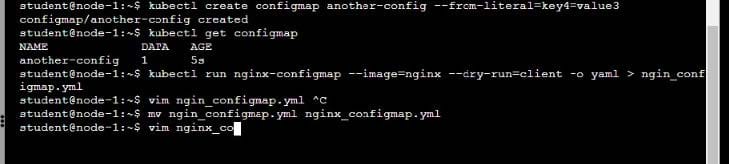
You are tasked to create a ConfigMap and consume the ConfigMap in a pod using a volume mount.

Task

Please complete the following:

1.

Create a ConfigMap named another-config containing the key/value pair: key4/value3

2.

start a pod named nginx-configmap containing a single container using the nginx image, and mount the key you just created into the pod under directory /also/a/path

A. Please check explanations

B. Place Holder
Buy Now

Correct Answer: A

Questions 5

CORRECT TEXT

Task:

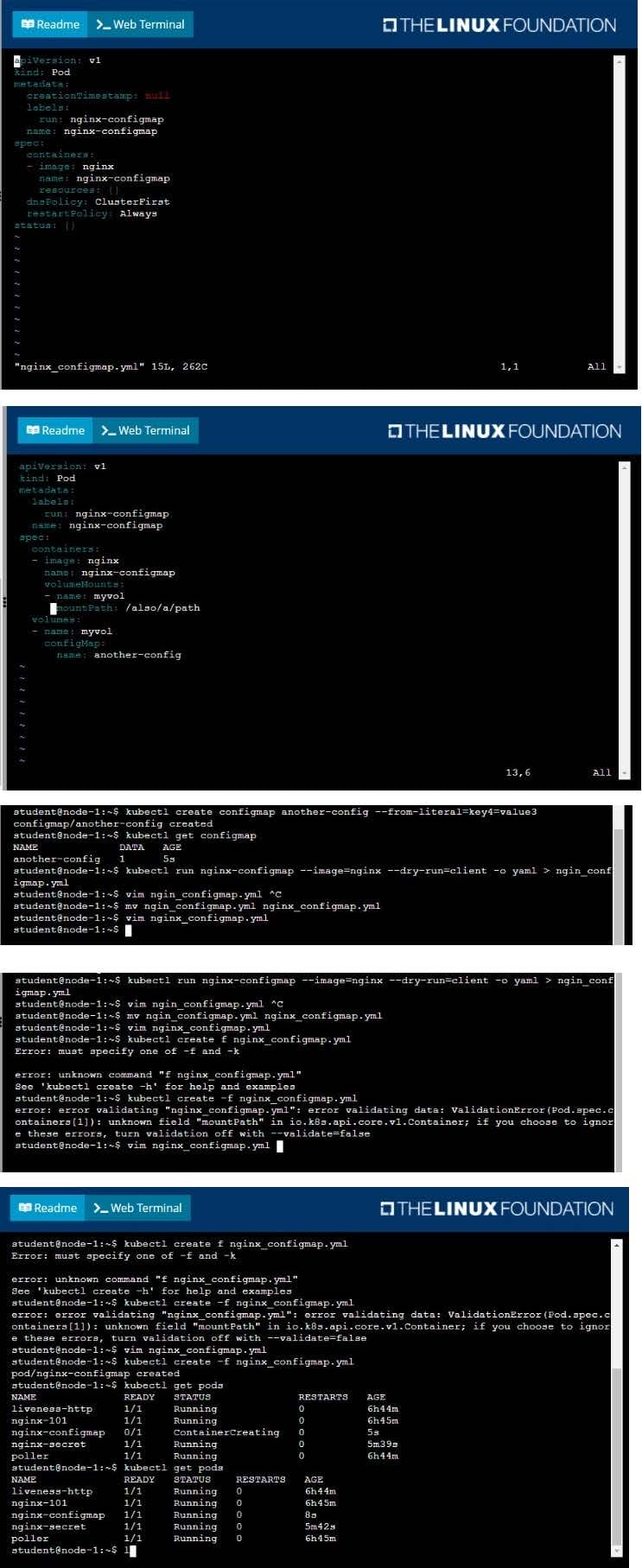
To run 2 replicas of the pod

Add the following label on the pod:

Role userUI

A. Please check explanations

B. Place Holder
Buy Now

Correct Answer: A

Questions 6

CORRECT TEXT

Context

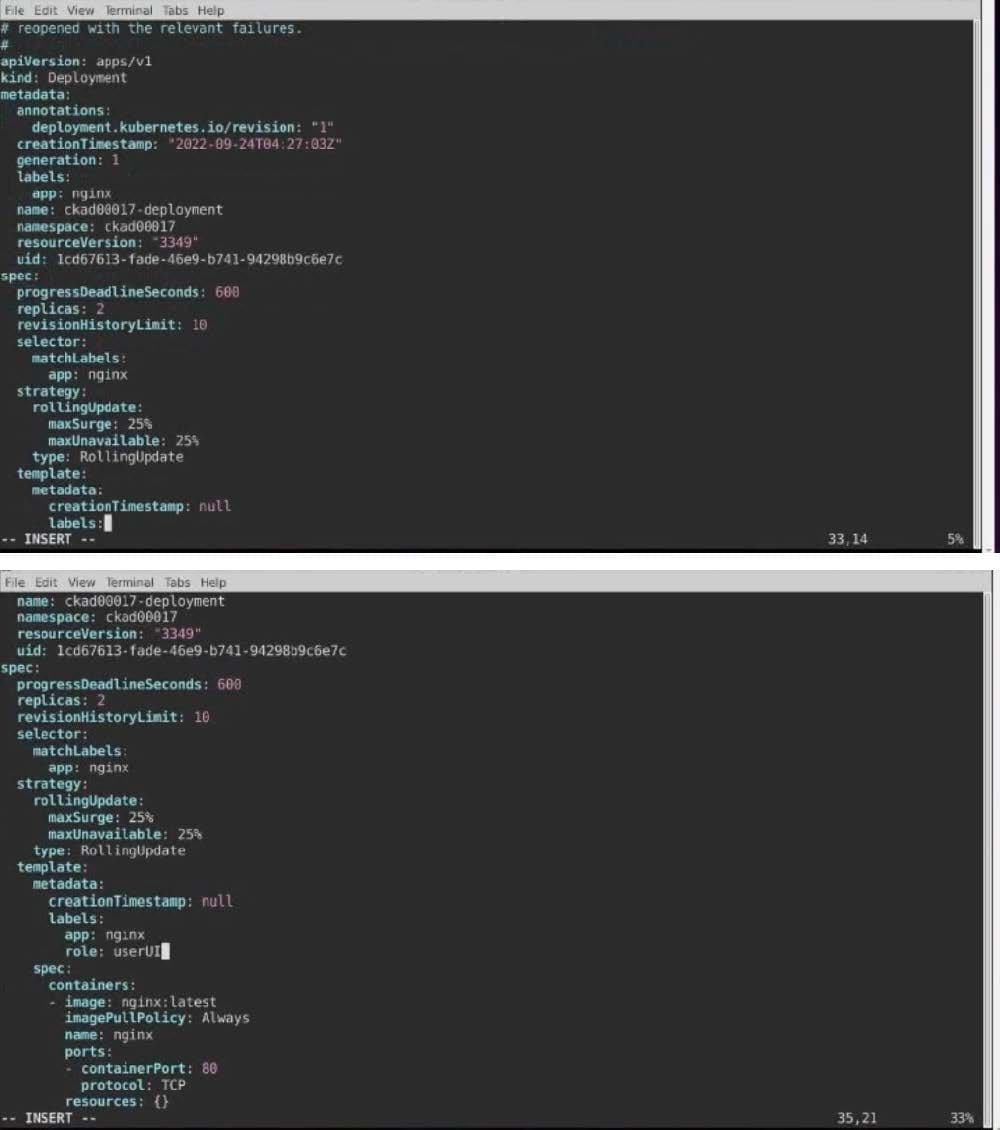
A user has reported an application is unreachable due to a failing livenessProbe .

Task

Perform the following tasks:

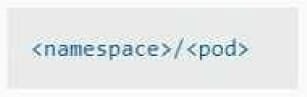
Find the broken pod and store its name and namespace to /opt/KDOB00401/broken.txt in the format:

The output file has already been created

1.

Store the associated error events to a file /opt/KDOB00401/error.txt, The output file has already been created. You will need to use the -o wide output specifier with your command

2.

Fix the issue.

A. Please check explanations

B. Place Holder
Buy Now

Correct Answer: A

Create the Pod: kubectl create -f http://k8s.io/docs/tasks/configure-pod-container/exec-liveness.yaml Within 30 seconds, view the Pod events: kubectl describe pod liveness-exec The output indicates that no liveness probes have failed yet: FirstSeen LastSeen Count From SubobjectPath Type Reason Message --------- -------- ----- ---- ------------- -------- ------ ------- 24s 24s 1 {default-scheduler } Normal Scheduled Successfully assigned liveness-exec to worker0 23s 23s 1 {kubelet worker0} spec.containers{liveness} Normal Pulling pulling image "gcr.io/google_containers/busybox" 23s 23s 1 {kubelet worker0} spec.containers{liveness} Normal Pulled Successfully pulled image "gcr.io/google_containers/busybox" 23s 23s 1 {kubelet worker0} spec.containers{liveness} Normal Created Created container with docker id 86849c15382e; Security:[seccomp=unconfined] 23s 23s 1 {kubelet worker0} spec.containers{liveness} Normal Started Started container with docker id 86849c15382e After 35 seconds, view the Pod events again: kubectl describe pod liveness-exec At the bottom of the output, there are messages indicating that the liveness probes have failed, and the containers have been killed and recreated. FirstSeen LastSeen Count From SubobjectPath Type Reason Message --------- -------- ----- ---------------- -------- ------ ------- 37s 37s 1 {default-scheduler } Normal Scheduled Successfully assigned liveness-exec to worker0 36s 36s 1 {kubelet worker0} spec.containers{liveness} Normal Pulling pulling image "gcr.io/google_containers/busybox" 36s 36s 1 {kubelet worker0} spec.containers{liveness} Normal Pulled Successfully pulled image "gcr.io/google_containers/busybox" 36s 36s 1 {kubelet worker0} spec.containers{liveness} Normal Created Created container with docker id 86849c15382e; Security:[seccomp=unconfined] 36s 36s 1 {kubelet worker0} spec.containers{liveness} Normal Started Started container with docker id 86849c15382e 2s 2s 1 {kubelet worker0} spec.containers{liveness} Warning Unhealthy Liveness probe failed: cat: can't open '/tmp/healthy': No such file or directory Wait another 30 seconds, and verify that the Container has been restarted: kubectl get pod liveness-exec The output shows that RESTARTS has been incremented: NAME READY STATUS RESTARTS AGE liveness-exec 1/1 Running 1 m

Questions 7

CORRECT TEXT

Task:

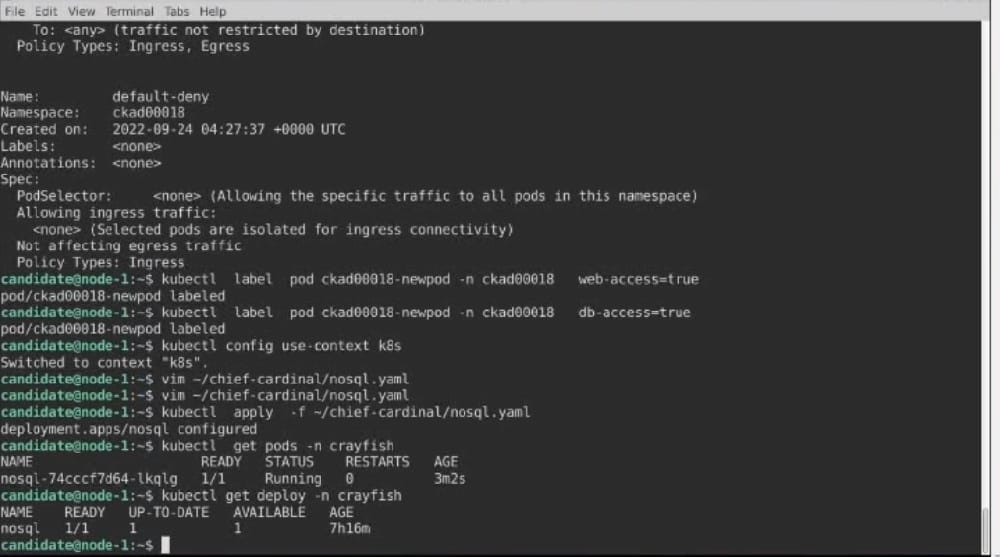
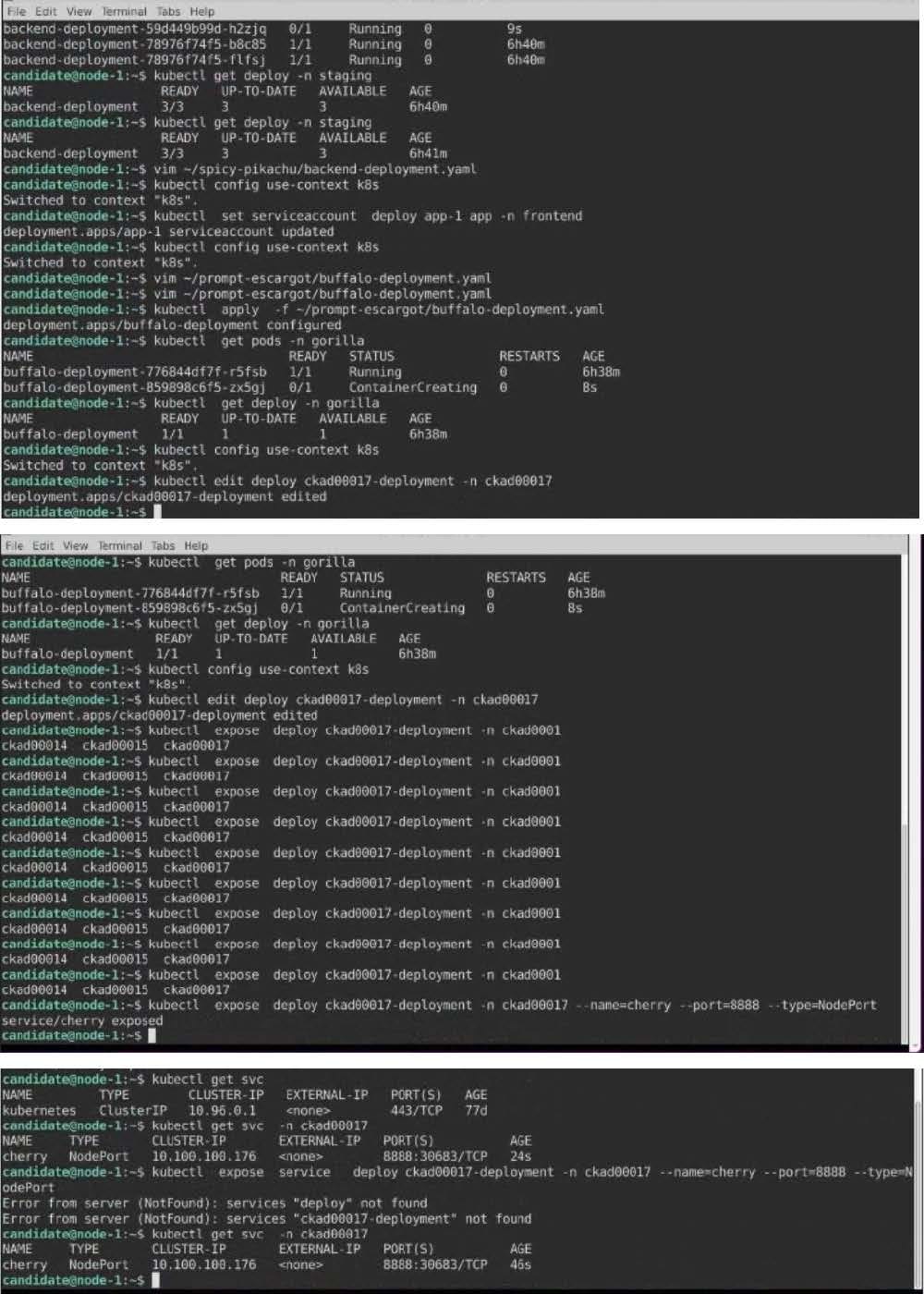
Update the Pod ckad00018-newpod in the ckad00018 namespace to use a NetworkPolicy allowing the Pod to send and receive traffic only to and from the pods web and db

A. Please check explanations

B. Place Holder
Buy Now

Correct Answer: A

Questions 8

CORRECT TEXT

Task

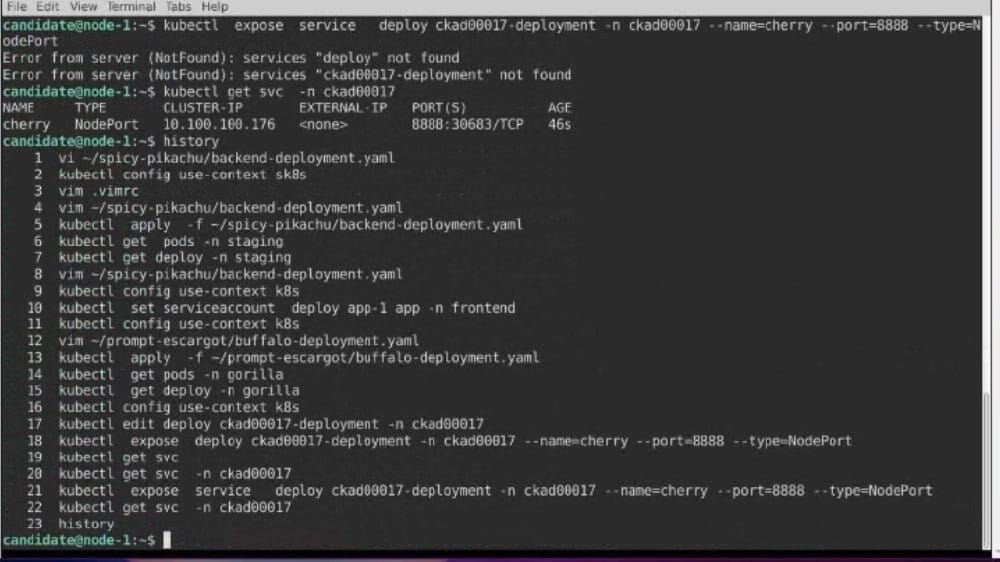
A deployment is falling on the cluster due to an incorrect image being specified. Locate the deployment, and fix the problem.

A. Please check explanations

B. Place Holder
Buy Now

Correct Answer: A

create deploy hello-deploy --image=nginx --dry-run=client -o yaml > hello-deploy.yaml Update deployment image to nginx:1.17.4: kubectl set image deploy/hello-deploy nginx=nginx:1.17.4

Questions 9

CORRECT TEXT

Context

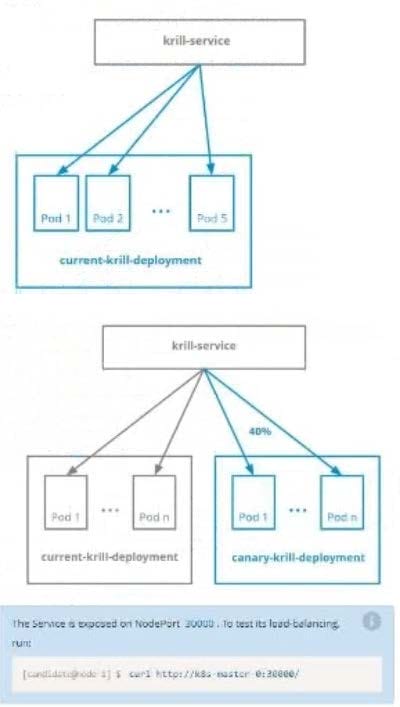
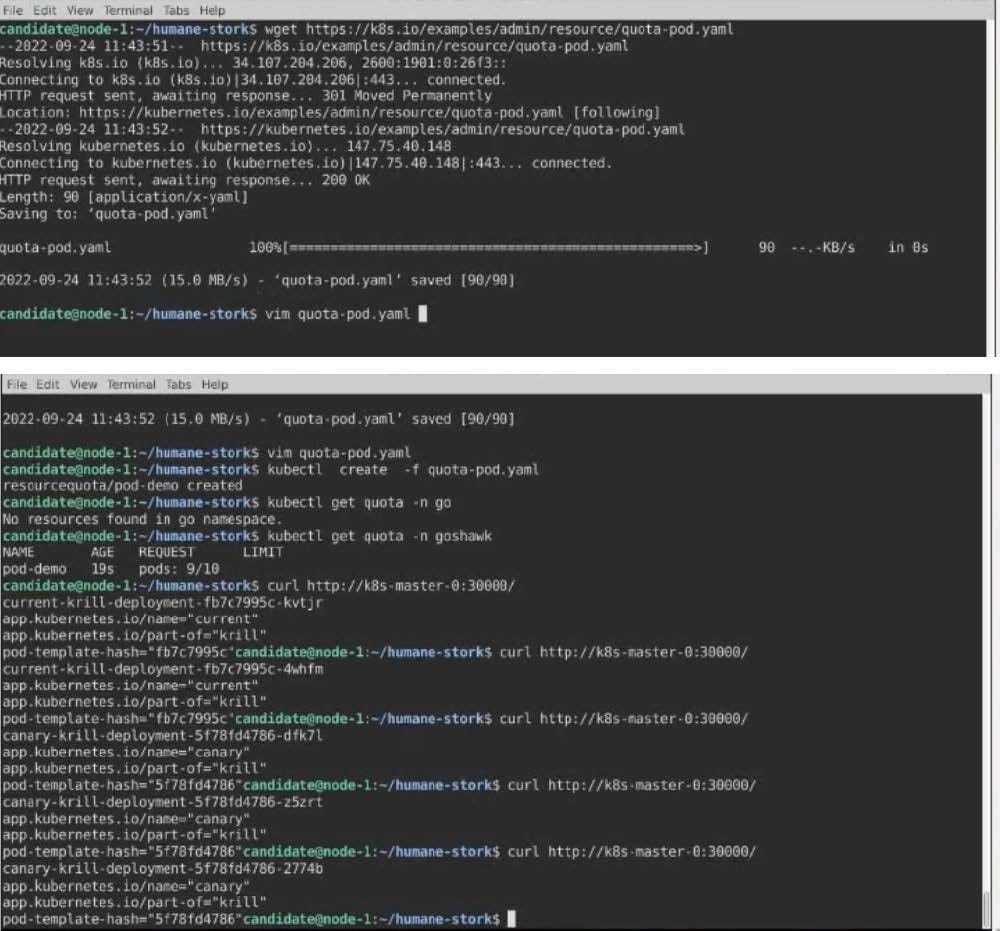
You are asked to prepare a Canary deployment for testing a new application release.

Task:

A Service named krill-Service in the goshark namespace points to 5 pod created by the Deployment named current-krill-deployment

A. Please check explanations

B. Place Holder

Buy Now

Correct Answer: A

Questions 10

CORRECT TEXT

Task:

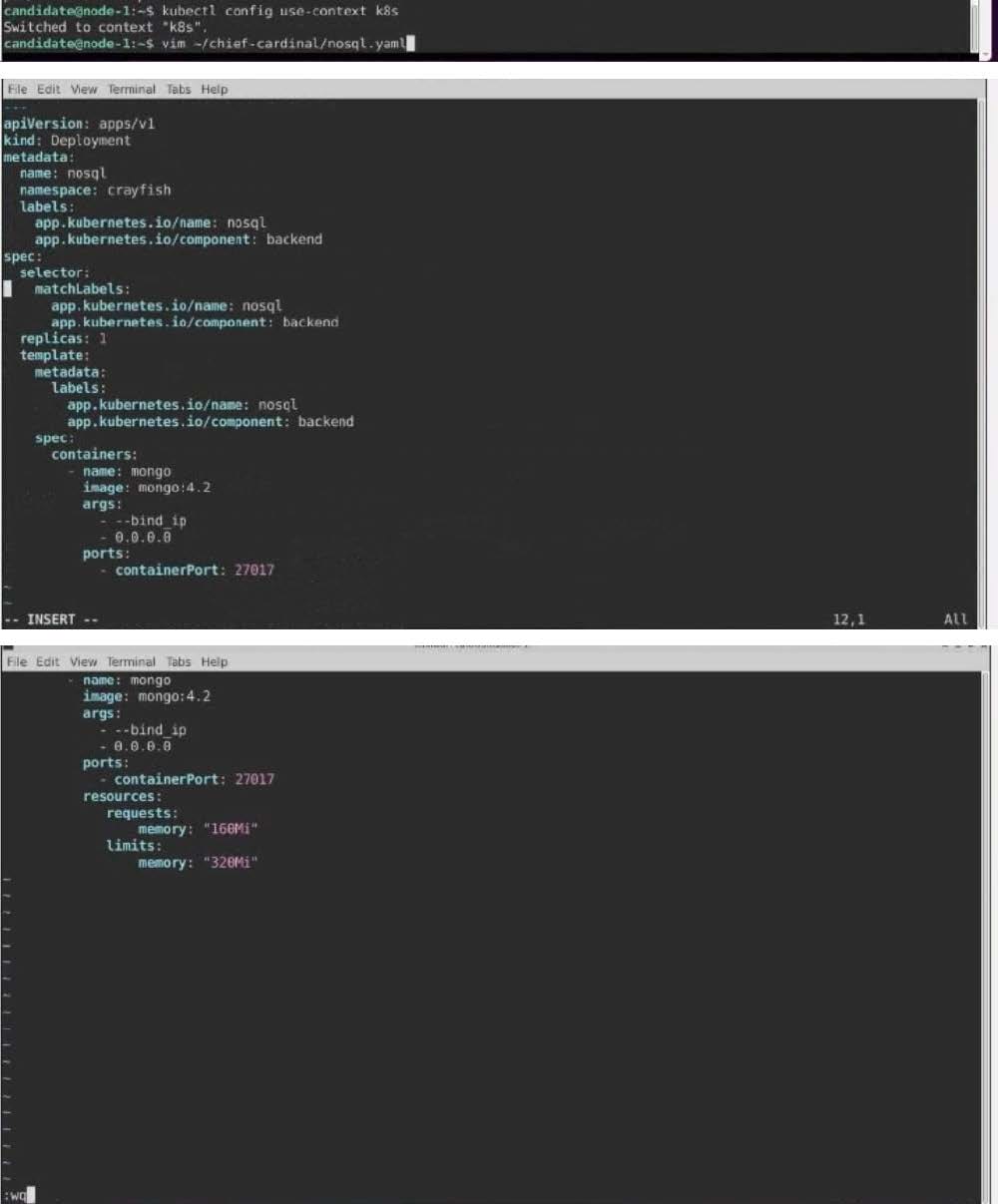
The pod for the Deployment named nosql in the crayfish namespace fails to start because its container runs out of resources.

Update the nosql Deployment so that the Pod:

A. Please check explanations

B. Place Holder

Buy Now

Correct Answer: A

Questions 11

CORRECT TEXT

Context

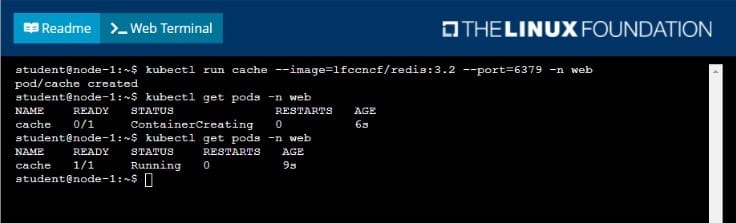
A web application requires a specific version of redis to be used as a cache.

Task

Create a pod with the following characteristics, and leave it running when complete:

1.

The pod must run in the web namespace.

2.

The namespace has already been created

3.

The name of the pod should be cache

4.

Use the Ifccncf/redis image with the 3.2 tag

5.

Expose port 6379

A. Please check explanations

B. Place Holder

Buy Now

Correct Answer: A

Questions 12

CORRECT TEXT

Context

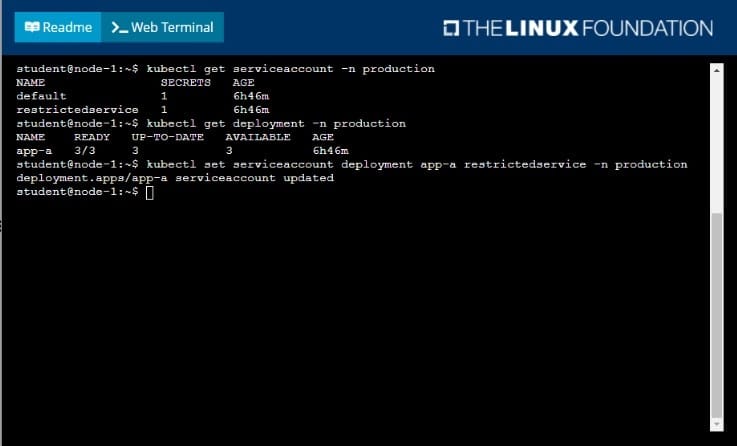
Your application's namespace requires a specific service account to be used.

Task

Update the app-a deployment in the production namespace to run as the restrictedservice service account.

The service account has already been created.

A. Please check explanations

B. Place Holder
Buy Now

Correct Answer: A

Questions 13

CORRECT TEXT

Task:

Modify the existing Deployment named broker-deployment running in namespace quetzal so that its containers.

The broker-deployment is manifest file can be found at:

A. Please check explanations

B. Place Holder
Buy Now

Correct Answer: A

Exam Code: CKAD
Exam Name: Linux Foundation Certified Kubernetes Application Developer (CKAD)
Last Update: Jul 07, 2026
Questions: 33

PDF (Q&A)

$45.99
ADD TO CART

VCE

$49.99
ADD TO CART

PDF + VCE

$59.99
ADD TO CART

Exam2Pass----The Most Reliable Exam Preparation Assistance

There are tens of thousands of certification exam dumps provided on the internet. And how to choose the most reliable one among them is the first problem one certification candidate should face. Exam2Pass provide a shot cut to pass the exam and get the certification. If you need help on any questions or any Exam2Pass exam PDF and VCE simulators, customer support team is ready to help at any time when required.

Home | Guarantee & Policy |  Privacy & Policy |  Terms & Conditions |  How to buy |  FAQs |  About Us |  Contact Us |  Demo |  Reviews

2026 Copyright @ exam2pass.com All trademarks are the property of their respective vendors. We are not associated with any of them.