
MB-800 Online Practice Questions and Answers
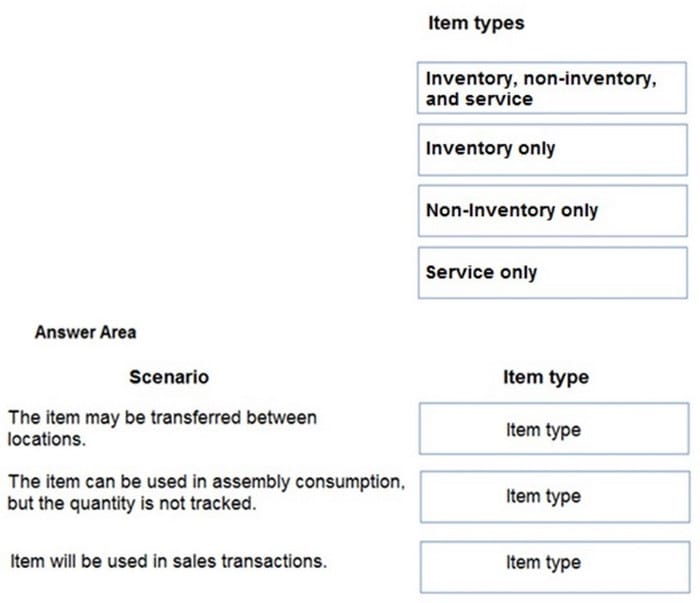
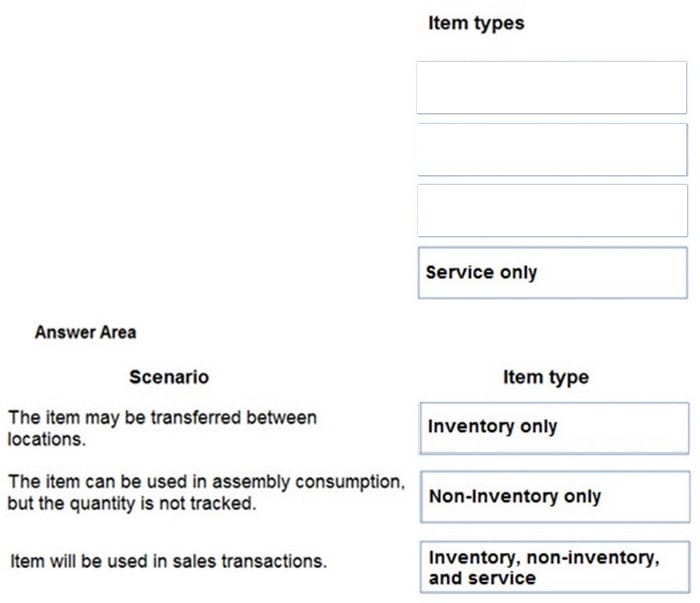
DRAG DROP
You are configuring Dynamics 365 Business Central for a company.
You need to create items.
Which item types should you use? To answer, drag the appropriate item types to the correct scenarios. Each item type may be used once, more than once, or not at all. You may need to drag the split bar between panes or scroll to view
content.
NOTE: Each correct selection is worth one point.
Select and Place:
DRAG DROP
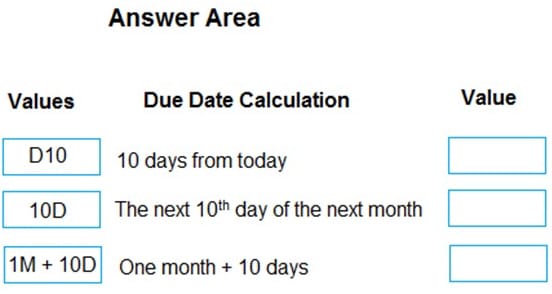
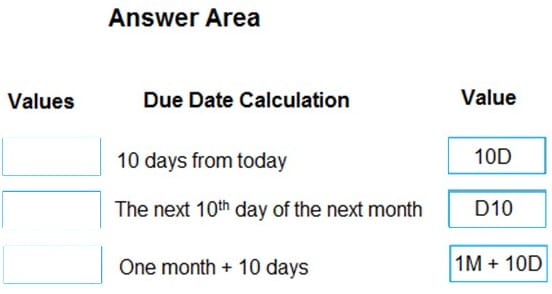
A company uses Dynamics 365 Business Central.
You need to configure payment terms with the correct due date calculation formula.
What should you do? To answer, drag the appropriate values to the correct requirements. Each value may be used once, more than once, or not at all. You may need to drag the split bar between panes or scroll to view content.
NOTE: Each correct selection is worth one point.
Select and Place:
DRAG DROP
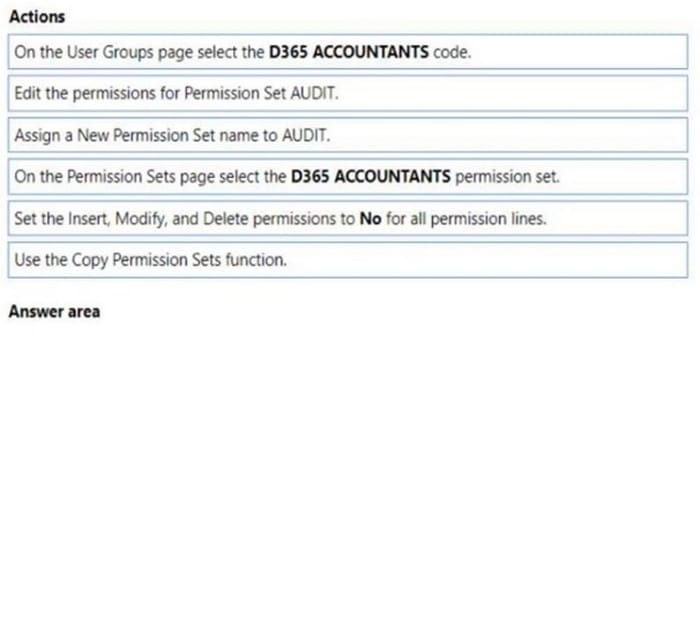
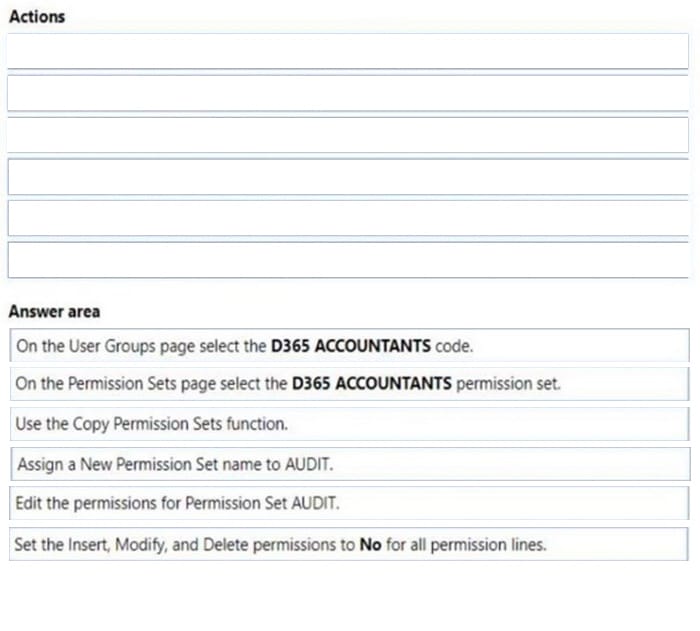
A company uses Dynamics 365 Business Central. You grant the financial bookkeeper the D365 ACCOUNTANTS permission set.
An auditor plans to perform an annual accounting audit. The auditor must have access to the same data as the bookkeeper but with view-only permission.
You need to create the permission set for the auditor.
In which order should you perform the actions? To answer, move all actions from the list of actions to the answer area and arrange them in the correct order.
Select and Place:
HOTSPOT
You are implementing Dynamics 365 Business Central.
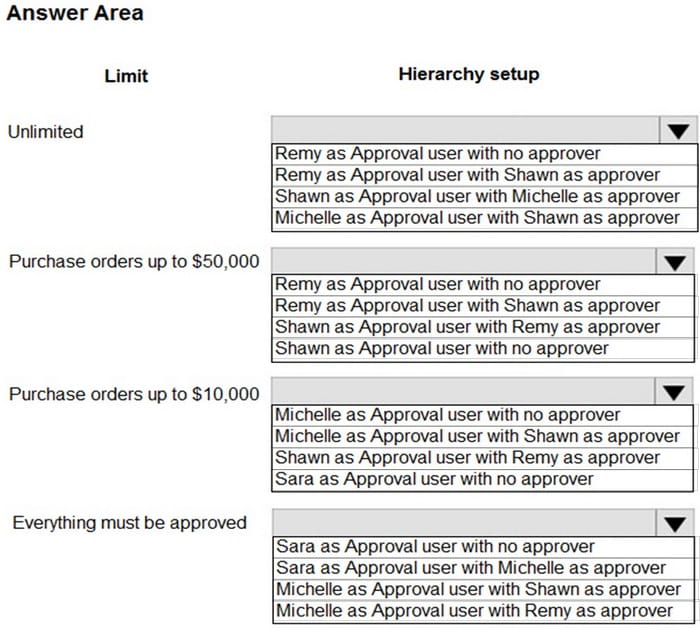
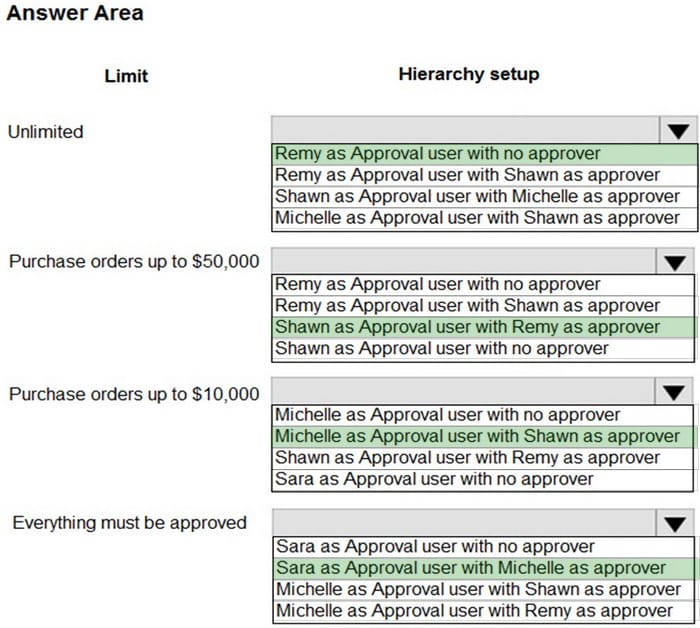
The accounting manager wants to set up a complete Purchase Document Approval system with an approval hierarchy that meets the following requirements:
1.
Sara processes all purchase orders. Any purchase orders that Sara processes must be approved.
2.
Michelle can approve purchase orders up to $10,000.
3.
Shawn can approve the orders up to $50,000.
4.
Purchase orders above $50,000 must be approved by Remy.
You need to create the hierarchy.
Which hierarchy setup should be used for each limit? To answer, select the appropriate options in the answer area.
NOTE: Each correct selection is worth one point.
Hot Area:
You create a test instance of Dynamics 365 Business Central and enter transactions for testing purposes. You create a production company instance in the same Business Central environment.
You need to copy the setup and master data from the test instance to the production instance without copying transaction data.
What are two possible ways to achieve the goal? Each correct answer presents a complete solution.
NOTE: Each correct selection is worth one point.
A. Use the Run Migration Now function from Cloud Migration Management
B. Create and export a configuration package from the source company. Next, import into the destination company
C. Use the Copy Data from Company function from the Configuration Worksheet page
D. Use the Copy function from the Companies page
You are implementing Dynamics 365 Business Central for a company. The company provides subscription services to their customers. The subscription invoices are almost identical each month.
The company wants to set up recurring sales lines for subscription invoices.
You need to create systems for creating subscription invoices.
Solution: Create a sales quote for each customer. Add the sales lines to the quote. Then, use the Copy Document feature to create a new invoice.
Does the solution meet the goal?
A. Yes
B. No
You are setting up a new company for a customer.
The customer wants to sell items in boxes and pallets, but refer to the items as pieces. Each box contains 12 pieces. Each pallet contains 144 pieces.
You need to assign the unit of measures to items.
How should you assign the unit of measures?
A. Create Boxes as an item unit of measure with a quantity per unit measure set to 1.
B. Create Pallet as a base unit of measure. Add Pieces as an item unit of measure with the quantity per unit set to 0.0069.
C. Create Pieces as a base unit of measure. Add Pallet as an item unit of measure with the quantity per unit set to 12.
D. Create Pallet as a base unit of measure. Add Box as an item unit of measure with the quantity per unit set to 0.08333.
A company uses Dynamics 365 Business Central.
When users create sales documents, the system must display an alert that shows the customer's remaining credit. The alert must also notify the user if the customer has any overdue payments.
You need to configure a credit limit and overdue payment warning.
What should you do?
A. Configure the Block Customer field.
B. Configure the Late Payment Predict extension.
C. Select Both Warnings in the Credit Warnings field.
D. Enable the Exact Cost Reversing Mandatory field.
A global trading company maintains records of customer information in Business Central. The company frequently conducts international trade and works with customers who operate in different currencies.
You need to configure the system to invoice customers who use foreign currency.
Which two areas should you configure? Each correct answer presents a complete solution.
NOTE: Each correct selection is worth one point.
A. Customer Card
B. Sales Invoice
C. Vendor Card
D. Adjust Exchange Rates
A customer in the restaurant buying group purchases olive oil on the date of the overstock special.
You need to verify the sales price of the product for the customer.
Which price will the system generate?
A. $15.30
B. $16.15
C. $17.00
D. $18.00